Go on, draw on it.
Free · Open source · macOS 14+
 Paint
Paint by MakioA pixel-perfect MS Paint for macOS
macOS never got a Paint. Here it is: all sixteen tools, the 28-colour palette, and a bucket that respects a one-pixel outline. No smoothing, no account, no subscription.
Version 1.0.2 · Universal · Signed and notarised · MIT licence
What Paint looks like
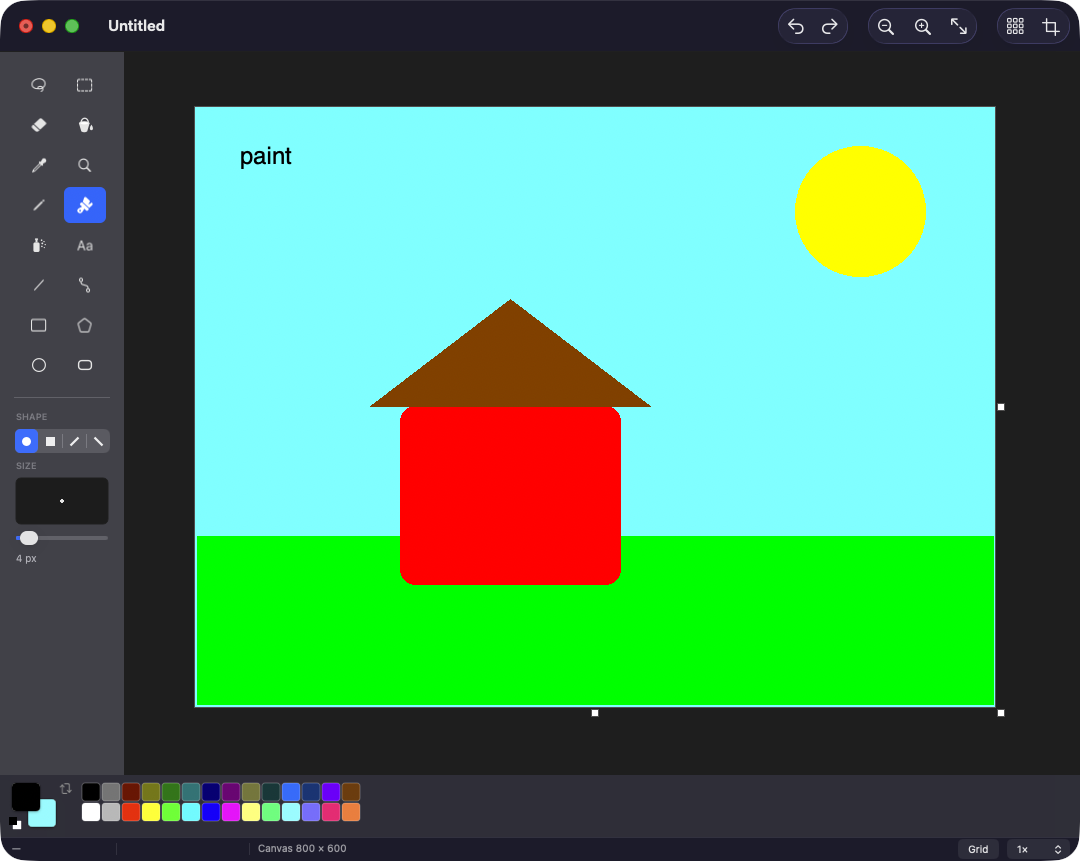
All sixteen tools
The same 2 × 8 toolbox, in the same order, with the same keyboard shortcuts you never actually forgot.
- Free-Form Select
- Select
- Eraser
- Fill With Color
- Pick Color
- Magnifier
- Pencil
- Brush
- Airbrush
- Text
- Line
- Curve
- Rectangle
- Polygon
- Ellipse
- Rounded Rectangle
Pixel-perfect, literally
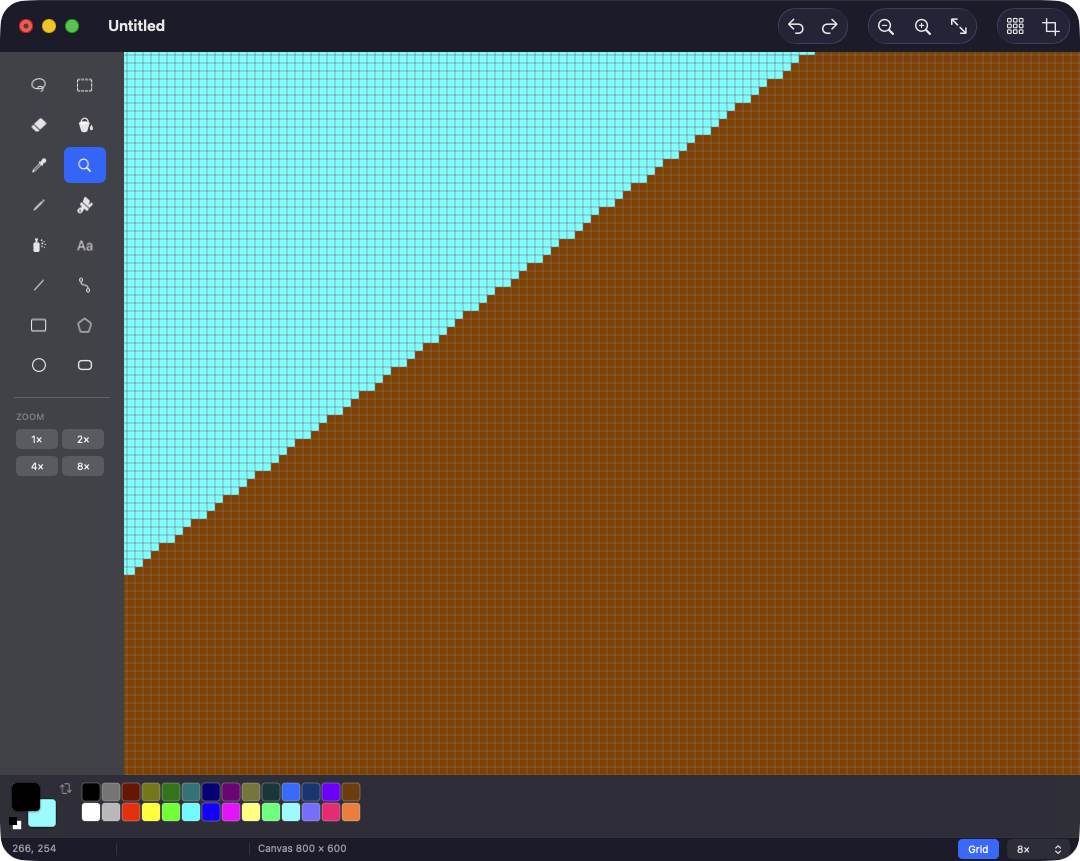
Every tool writes whole pixels into a raster buffer. Zoom to 3200% and you get hard edges and a pixel grid, not a blurry approximation of what you drew.
Shape previews are rasterised on every frame of the drag, so what you see while dragging is byte-for-byte what you get when you let go.
Features
- No smoothing, ever
- Nearest-neighbour all the way up to 3200%, with a pixel grid past 4×. The pixel you click is the pixel that changes.
- Two colours, two buttons
- Left click paints the foreground, right click the background — for every tool, shape fills included. Just like the original.
- A bucket that holds
- Four-connected flood fill with optional tolerance. Ellipses and rounded rectangles come out watertight, so it can't leak.
- Real Mac citizen
- PNG, JPEG, TIFF, BMP and GIF through the document architecture, so Open Recent, Revert, printing and autosave prompts all work.
Get Paint
A macOS 14+ universal build, signed with a Developer ID and notarised by Apple, so it opens with a double-click. Free forever, MIT licensed.
Paint is free and always will be. If it saved you a trip to a Windows VM, buy me a coffee.